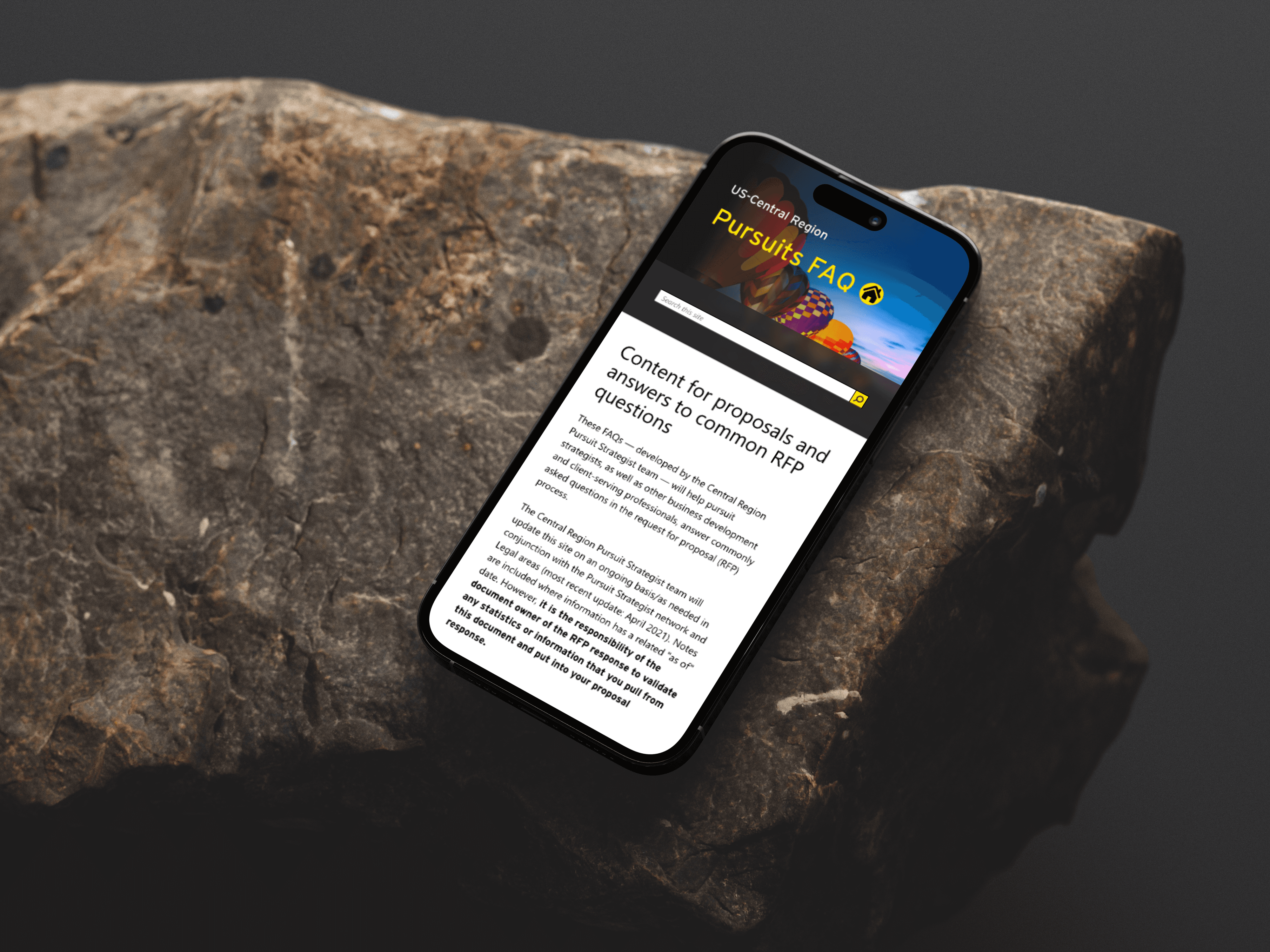
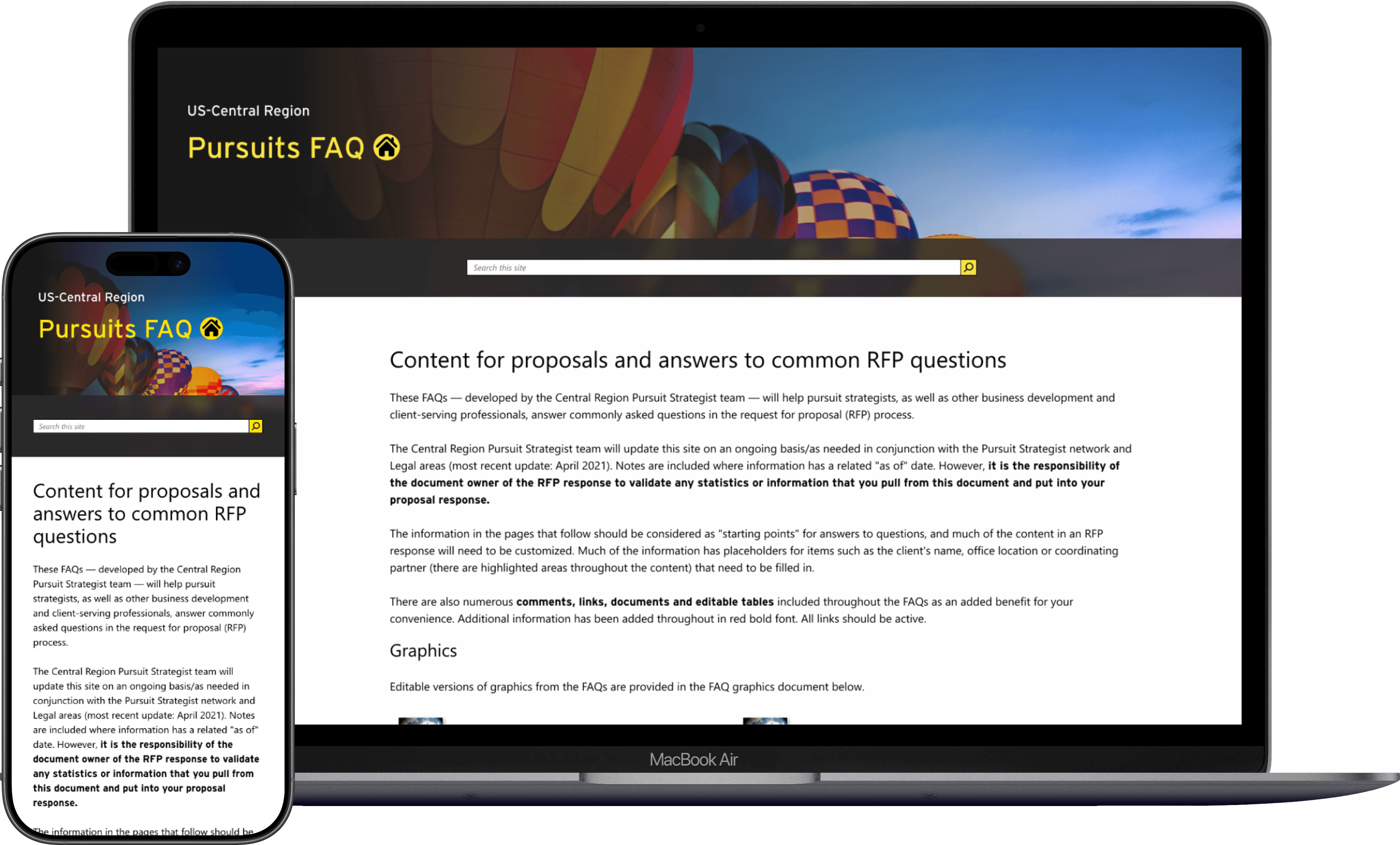
FAQ Redesign was a usability and visual redesign for a large internal knowledge platform used by the Central Region Pursuit Strategist team at EY.
//Role
UX/UI Designer
//Duration
3 weeks
//Context
Ernst & Young internal project
//Industry
Enterprise / Internal Tools
I was brought into the project late in development after the platform had already been built without design involvement. My role was to redesign the information architecture, navigation, and UI, then guide implementation with the engineering team under a tight deadline.
Problem & Opportunity
The Problem
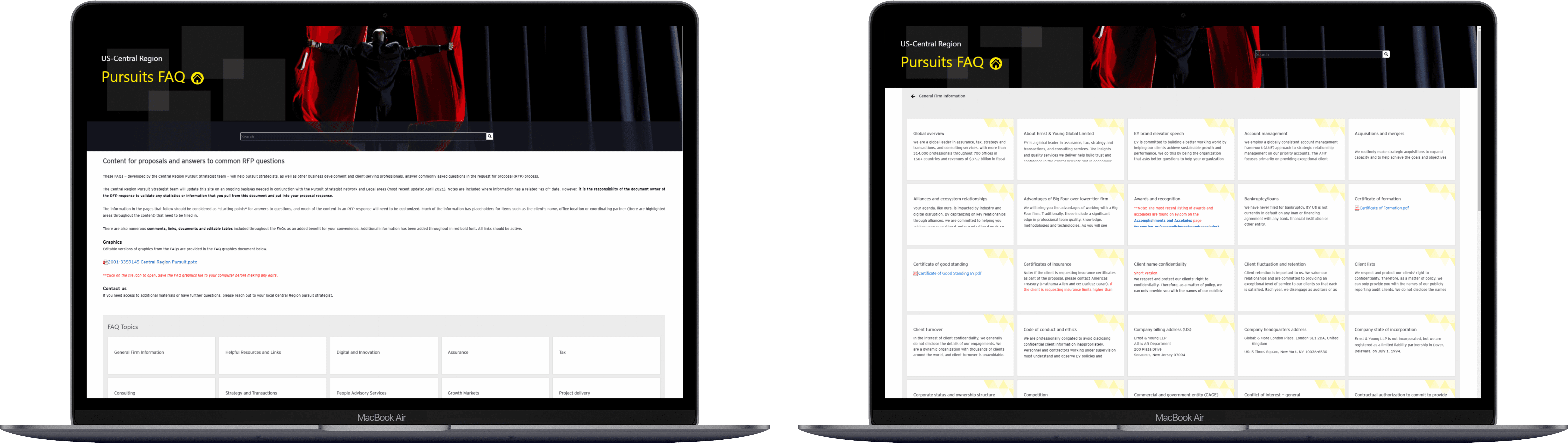
The FAQ platform had already been developed before any design work took place. As a result, the experience lacked structure, hierarchy, and consistency.
Key issues included:
unclear navigation across 300+ pages
weak visual hierarchy and content organization
long pages that were difficult to scan
inconsistent page structures across sections
little support for helping users understand where they were in the site
Because the site was so large, these issues scaled across the entire experience and made the platform difficult to use.
The Opportunity
Although the site was already built, there was still an opportunity to improve usability without rebuilding the product.
The goal was to simplify navigation, create more consistency, and make information easier to find while staying within the project’s timeline, budget, and technical constraints.
Goals & Success Criteria
Improve navigation across a large content hierarchy
Introduce clearer structure and visual consistency
Help users find information faster
Deliver improvements that could be implemented quickly
Success meant making the site significantly easier to use without delaying delivery or expanding scope.
Context & Constraints
This project came with major constraints:
the system had already been developed
the platform contained over 300 pages
the engineering team was distributed internationally
the timeline was only 3 weeks
the budget did not allow for major structural rebuilds
Because of this, the redesign had to focus on system-level improvements that could be reused across the site rather than page-by-page redesign.
Users & Research
Target Users
Internal EY employees using the platform to locate guidance, resources, and operational information related to pursuit strategy work.
Research Approach
Given the timeline, formal research was limited. I ran a rapid usability review with four coworkers familiar with websites and internal tools.
Participants were asked to navigate the site and identify friction points, especially around finding information and moving through deeper levels of the hierarchy.
Key Insights
users became disoriented when they went deeper into the site
long pages made scanning difficult
topic areas were hard to distinguish visually
returning to the top or previous sections took too much effort
Even with the limited testing window, the biggest usability problems became clear very quickly.
Problem Statement
How might we improve navigation and information clarity across a 300+ page FAQ platform without rebuilding the system or delaying delivery?
Strategy & Approach
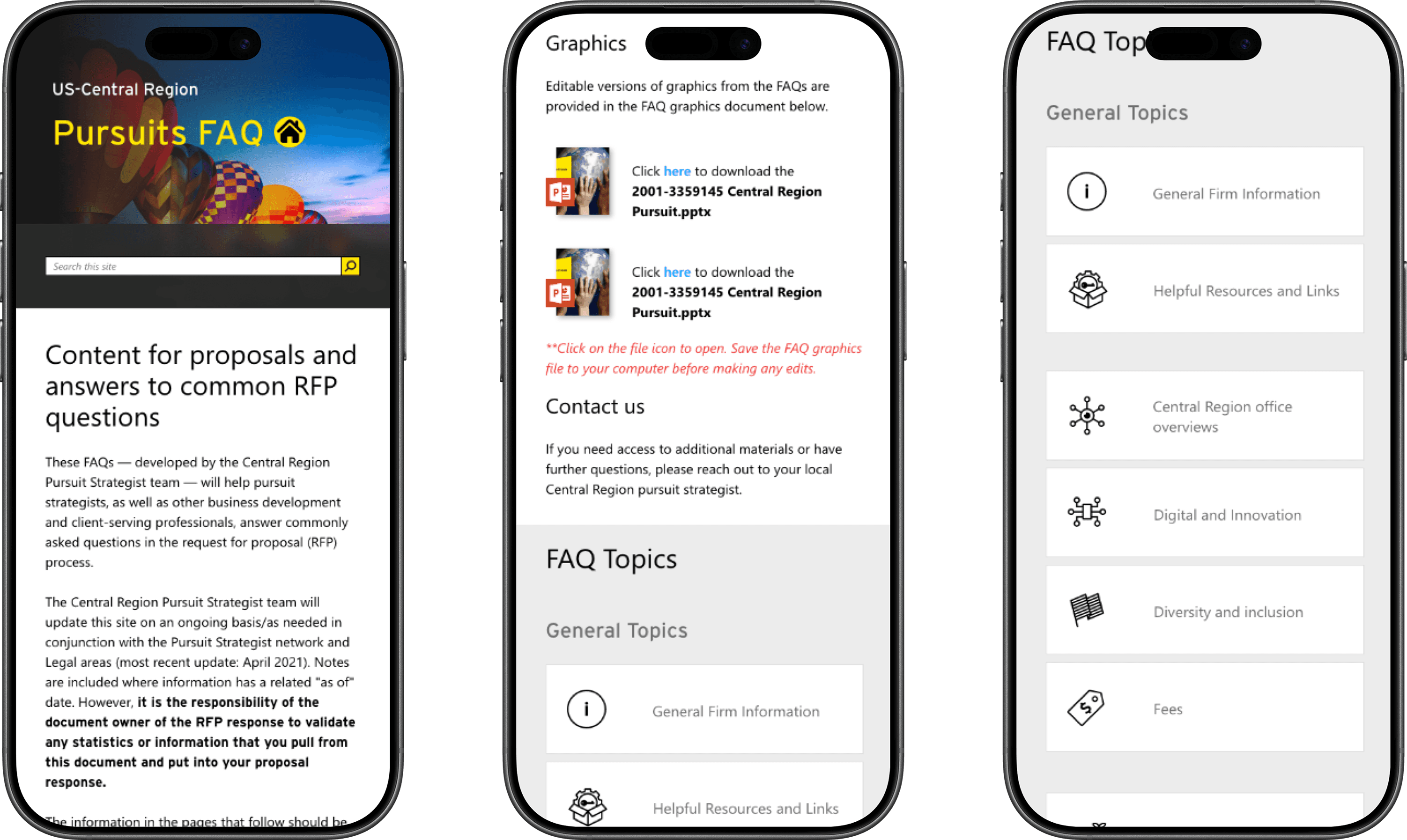
Because the product was already built, the strategy focused on improving structure and clarity rather than starting over.
Instead of redesigning every page individually, I created a reusable set of navigation and layout patterns that could be applied across the platform. This made the redesign more realistic to implement and helped the engineering team move quickly.
The work focused on the highest-impact issues first: orientation, scanning, hierarchy, and search clarity.
Information Architecture & Flows
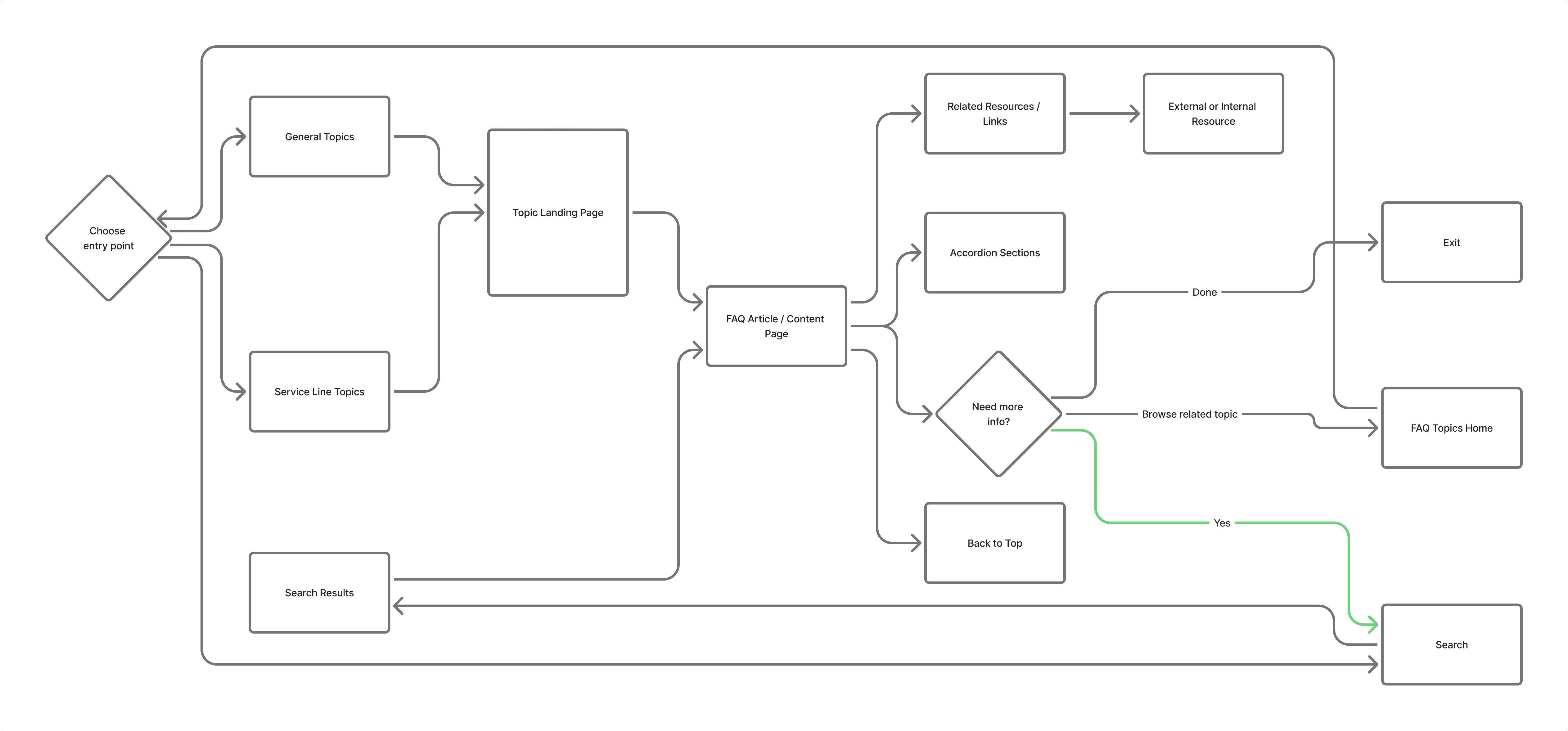
The biggest improvements were in navigation and orientation.
Key structural changes included:
breadcrumb navigation to show users where they were
a clearer homepage index for topic discovery
better visual grouping of content
improved search highlighting
easier movement through long pages
These changes helped users understand both where they were and how to move through the site more confidently.

Design System & Visual Direction
he visual redesign focused on clarity, consistency, and implementation speed.
Because the site lived inside a SharePoint environment, I aligned the experience with SharePoint conventions for typography, width, spacing, and hierarchy. That helped the site feel more integrated with other internal tools.
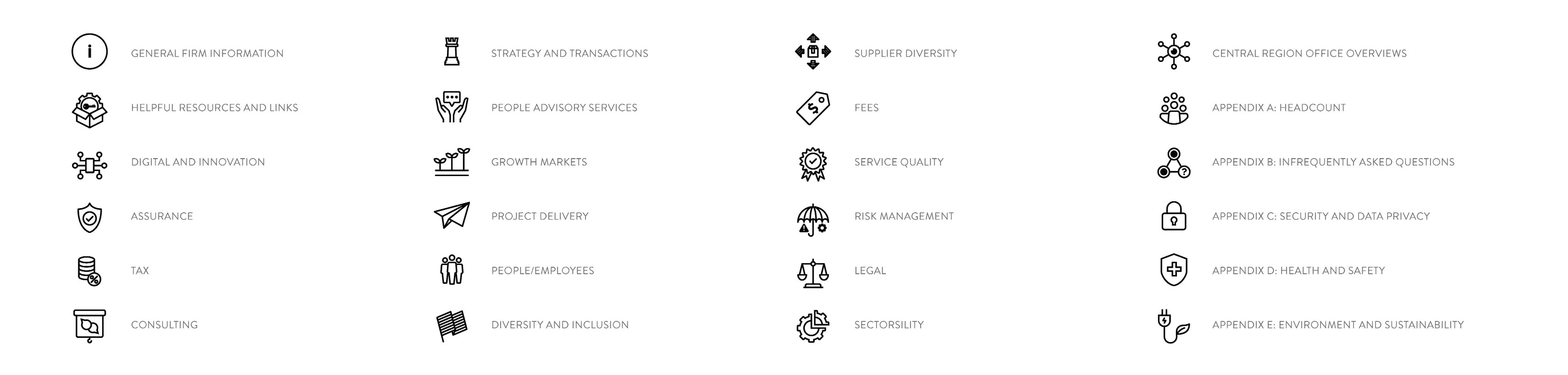
I also created simple custom icons to help users distinguish topic categories and scan content more easily.
Wireframes to Prototype
Rather than redesigning all 300+ pages manually, I focused on the key page templates and reusable components that shaped the experience.
These templates defined:
page layout
navigation structure
hierarchy rules
repeatable UI patterns
I also prepared implementation guidance for the development team so they could make changes efficiently through CSS and shared page structures.
Usability Testing & Iteration
These changes improved usability without requiring a full rebuild.
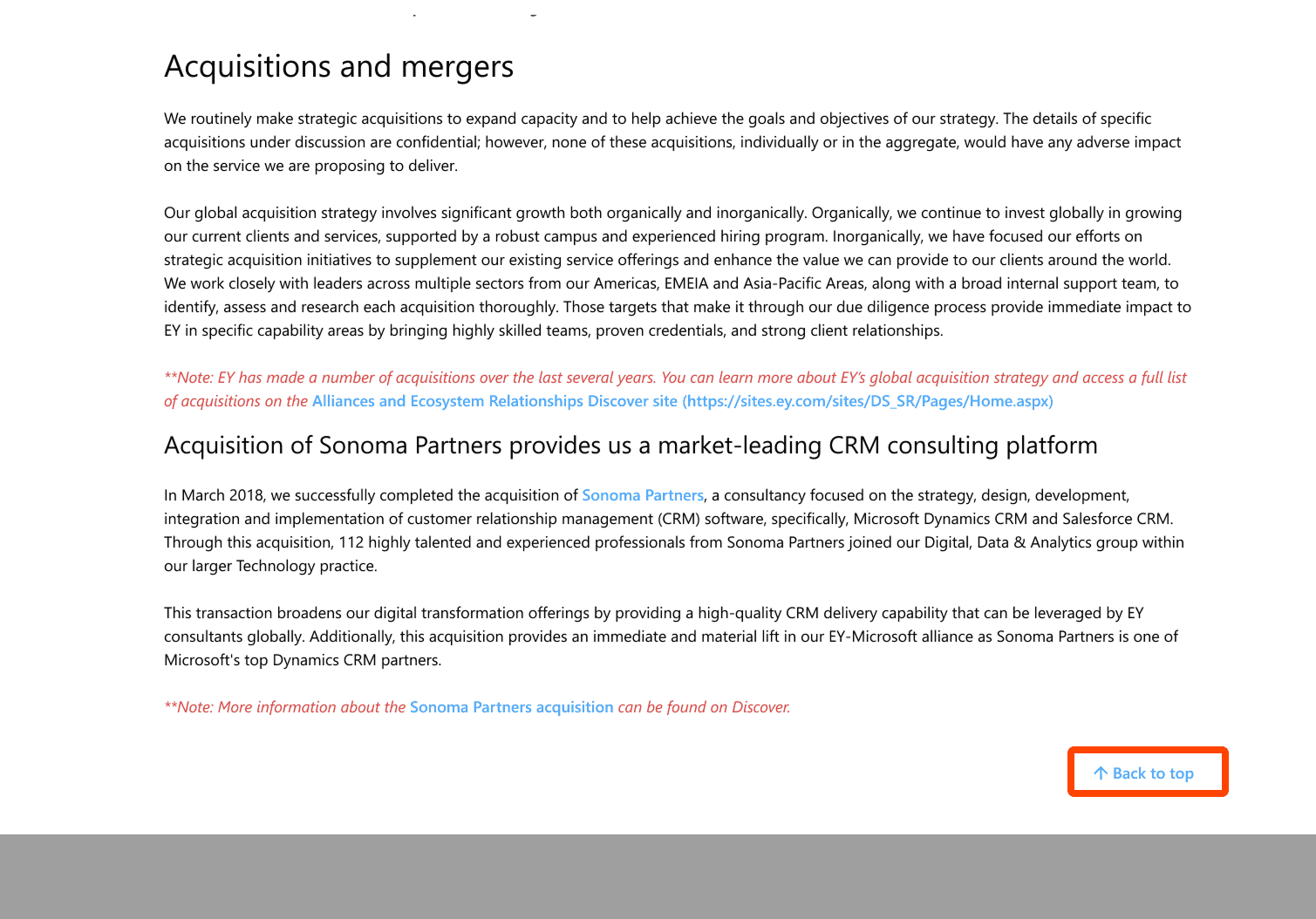
Problem: Users struggled to navigate long pages
Solution: Added Back to Top navigation across the site
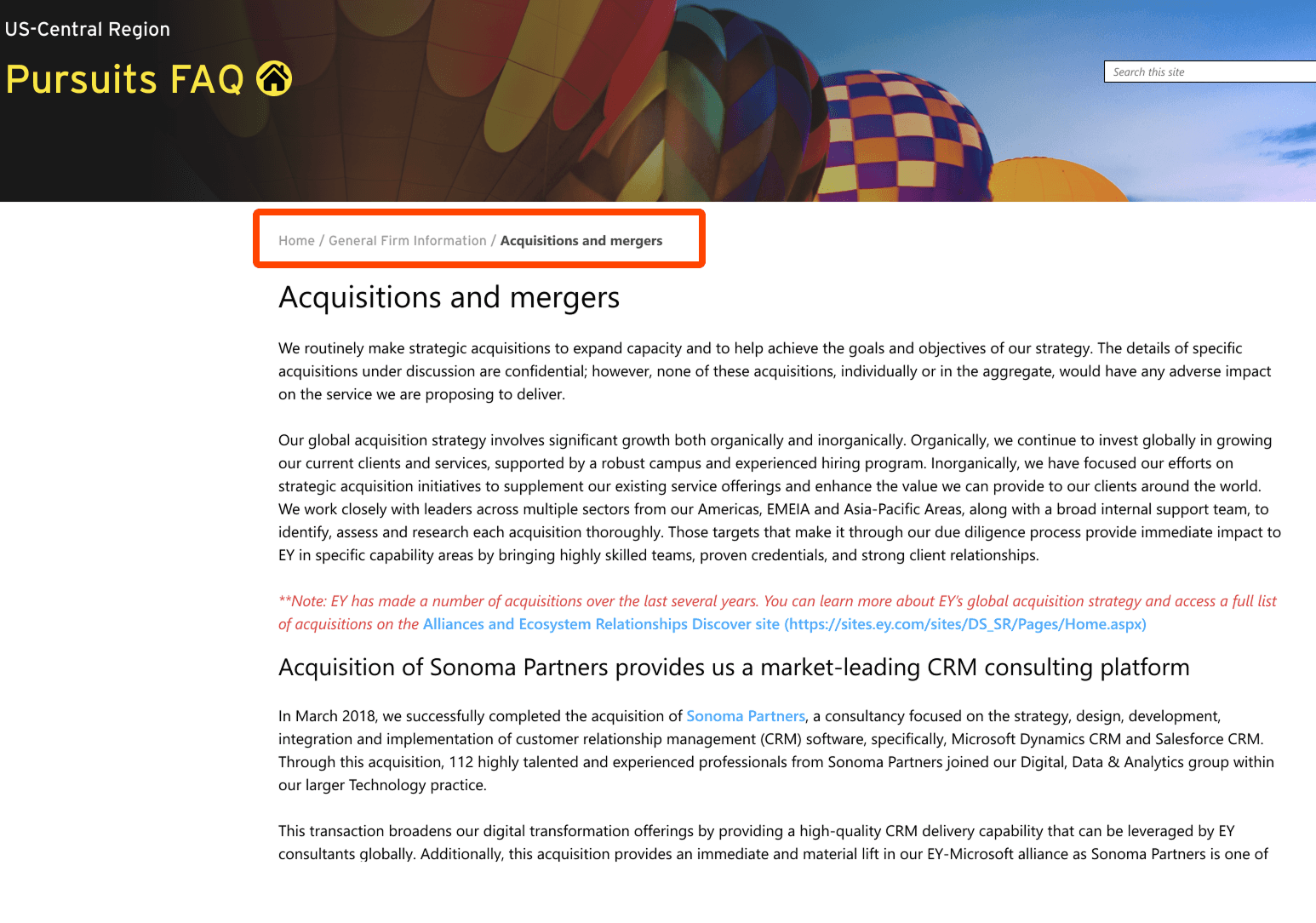
Problem: Users lost context when navigating deeper into categories
Solution: Introduced breadcrumb navigation
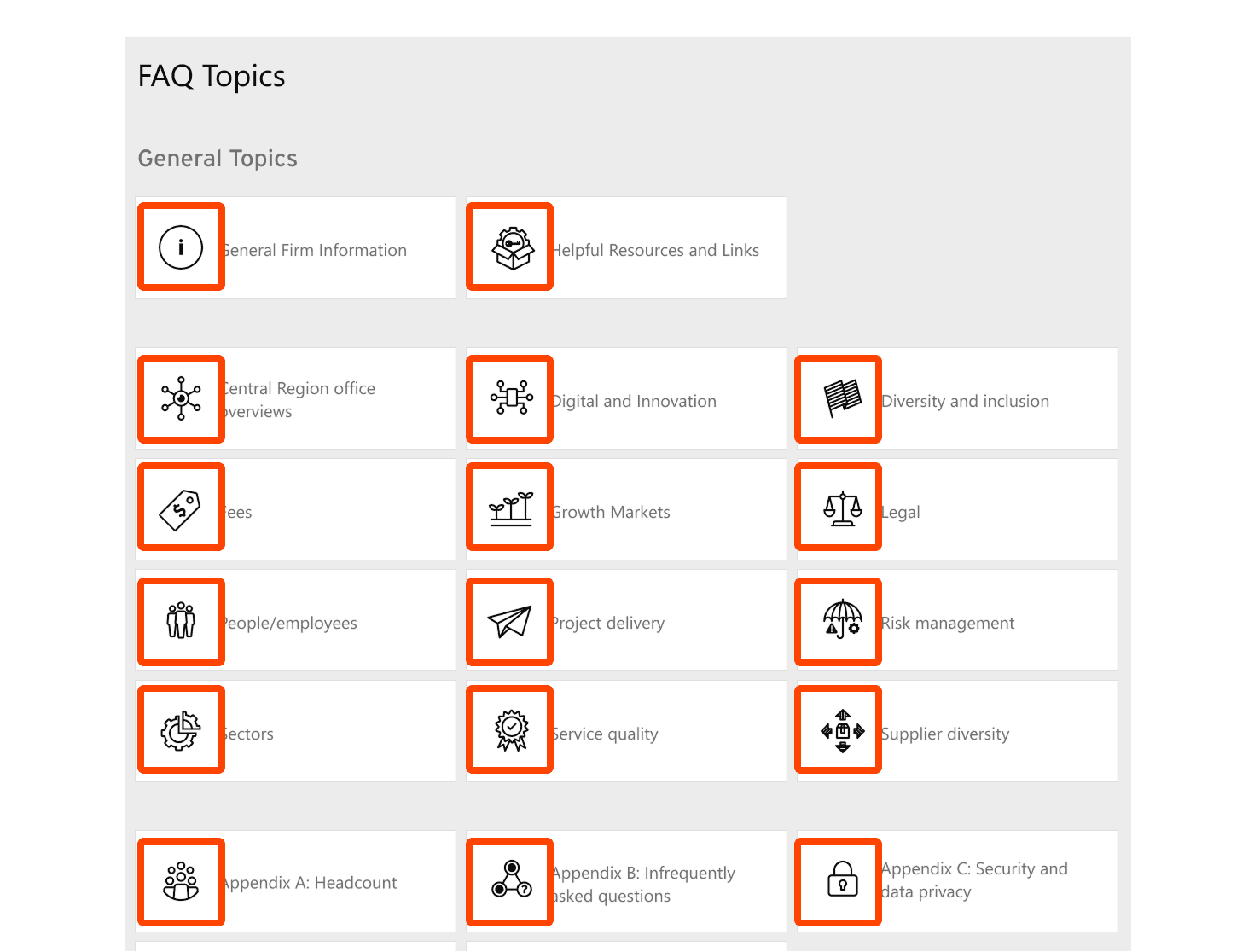
Problem: Topics were hard to identify quickly
Solution: Added custom icons and clearer category hierarchy
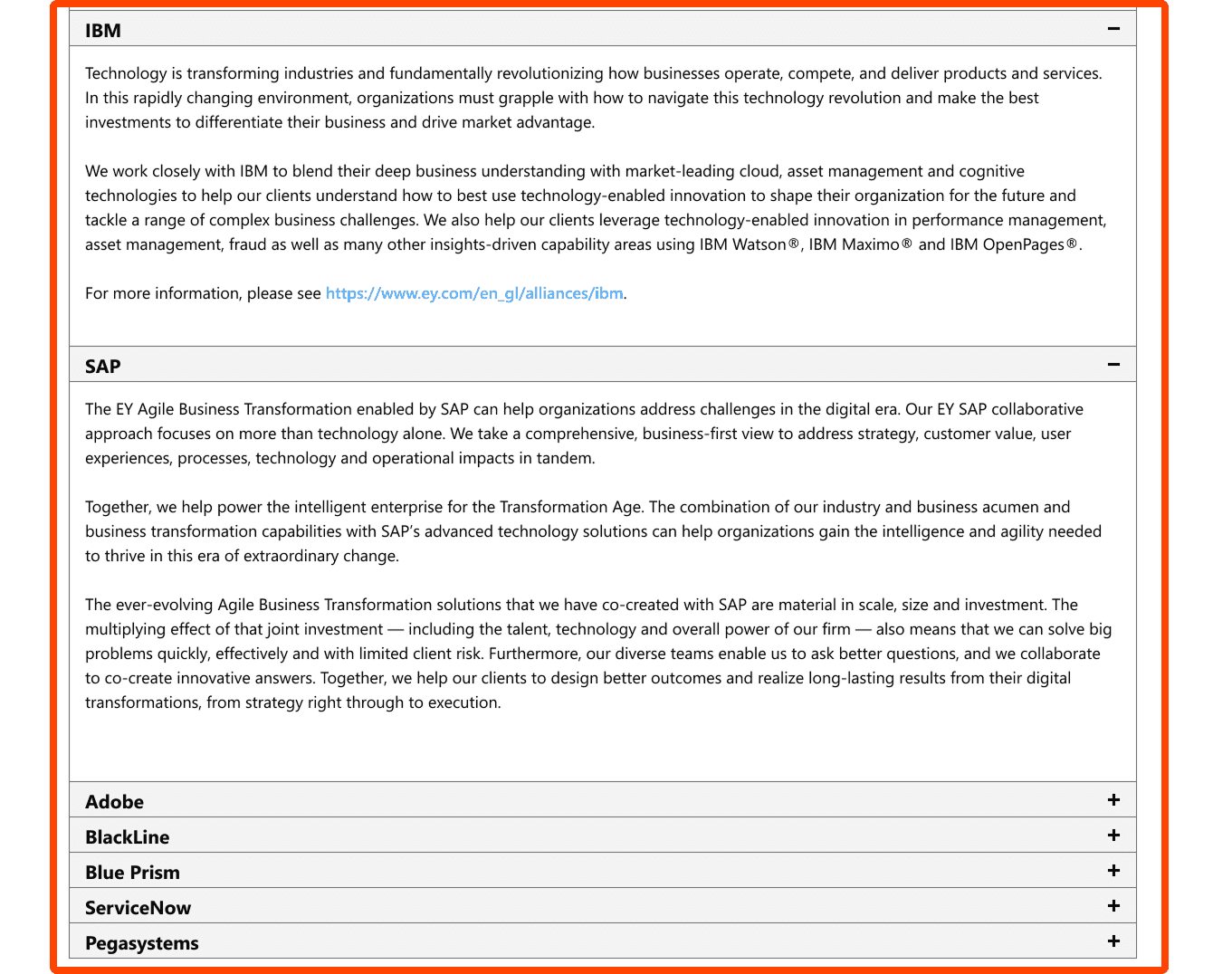
Problem: Long pages were difficult to scan
Solution: Introduced accordion sections and better content grouping
Outcome & Impact
The redesign delivered a cleaner, more structured experience that improved usability across a very large knowledge system.
The platform became easier to navigate, easier to scan, and more consistent overall. Most importantly, the project was delivered successfully within the three-week timeline and implemented by the engineering team without going over budget.

Reflection & Learnings
Challenges
joining the project after development was already complete
improving usability across 300+ pages
coordinating with a distributed engineering team
making meaningful improvements under a tight deadline
What I Learned
ometimes the job is not to rebuild, but to make an existing system work much better
reusable patterns are critical when improving large-scale products quickly
clear design guidance helps engineering teams move faster
strong collaboration matters even more when design enters late in the process
Next Steps
expand testing with actual internal users
continue refining search and categorization
improve content structure further where the platform allows
keep simplifying navigation across deeper sections